
Fountain Controller Error Codes: Safe Checks Before Service
A stopped lake fountain and a flashing controller can leave you wondering whether the problem needs immediate service. Fountain controller error codes help identify a fault, but their meanings depend on the exact equipment.
Your first job is to collect safe observations , not open the panel or keep restarting the pump. Before you call, record the display, consult the matching manual, and check only what you can see safely from dry ground.
Key Takeaways Before You Touch the Controls
- Use the manual for your exact controller model, because code meanings and reset procedures aren't universal.
- Photograph the displayed code or indicator, then note when the fountain stopped and what happened beforehand.
- Check visible power status, timer settings, water conditions, and debris without opening equipment or entering the lake.
- Stop if protective devices trip repeatedly, wiring looks damaged, or you suspect water has entered electrical equipment.
How to Interpret Fountain Controller Error Codes
Match the manual to the controller
Start with the manufacturer and model number on an accessible exterior label or in your installation paperwork. The fountain's pump, lighting system, and controller may have separate manuals, so identify which device is reporting the problem.
Don't use a generic online code chart to diagnose unfamiliar equipment. An identical number or blinking pattern can mean something different on another controller. Likewise, a home filtration or well-pump controller isn't a reliable reference for a lake fountain.
Kasco Marine's troubleshooting guide describes panel-specific indicators and procedures rather than one universal numeric code list. For example, its red ground-fault indicator identifies a ground-fault condition. That warning requires attention to electrical safety, not an assumption that the pump needs cleaning.
Preserve the display before changing anything
Take a clear photograph from a safe position. Include the complete code, punctuation, indicator color, and any accompanying message. If the indicator flashes, record a short video so the technician can see its pattern.
Also note whether the warning appears immediately at startup or after the fountain runs. Record whether the lights still work and whether the pump produces any spray.
These details help distinguish a startup problem from an intermittent fault. Avoid clearing stored fault history before someone reviews it.
Set Clear Safety Limits First
Water and electrical equipment require a cautious approach. Stay out of the lake, keep bystanders away from suspect equipment, and don't touch submerged cables or the floating assembly.
Don't open energized equipment. A closed controller enclosure doesn't make damaged equipment safe to handle. If the cabinet, surrounding ground, or access path is flooded, stay away and arrange qualified assistance.
You can read an externally accessible display or observe a clearly labeled control from a dry location. However, don't remove covers, tighten terminals, test voltage, splice cords, or replace internal components unless you're qualified for that work.
A timer or remote control may restart the fountain automatically. Switching the operating mode to "off" isn't the same as confirming electrical isolation. A technician must isolate and verify power before repairs or hands-on inspection.
A controller set to "off" may still contain energized components. Treat operating controls and electrical isolation as separate tasks.
If you smell burning, see smoke or sparking, or notice melted wiring, stop immediately. Shut off the supply only if you can do so safely from a dry, undamaged location.
Check Visible Power, Connections, and Timer Status
Look for status changes without opening the panel
From a dry location, check the externally visible display and status lights. If accessible without removing a cover, note the position of the labeled disconnect or breaker. Report its position rather than assuming it simply needs resetting.
Look along exposed cable sections for cuts, crushed insulation, or obvious damage. Kasco identifies animal chewing, fish hooks, and weed-trimming equipment as possible sources of cord damage. Observe visible connectors without unplugging, tightening, or handling suspect parts.
These observations can guide the service call.
| Visible observation | What to record |
|---|---|
| Blank controller display | Whether nearby equipment also lost power |
| Tripped protective device | When it tripped and whether this has happened before |
| Pump off but lights working | Which functions remain operational |
| Damaged cord or wet enclosure | Location and a photograph taken safely |
None of these observations confirms the failed component. They help a technician decide what to test.
Compare operation with the schedule
Next, check the programmed operating hours and displayed clock, if the controls are safely accessible. A fountain outside its scheduled run period may be behaving normally.
Panel design matters here. Kasco's C-85/C-95 photo-eye panels may require both the timer and photo eye to be active before their GFCI receptacle receives power. Follow the exact manual rather than applying another panel's procedure.
Don't change unfamiliar settings or force the fountain to run to prove a point.
Look for Visible Water and Debris Problems
Observe the intake, spray, and water level
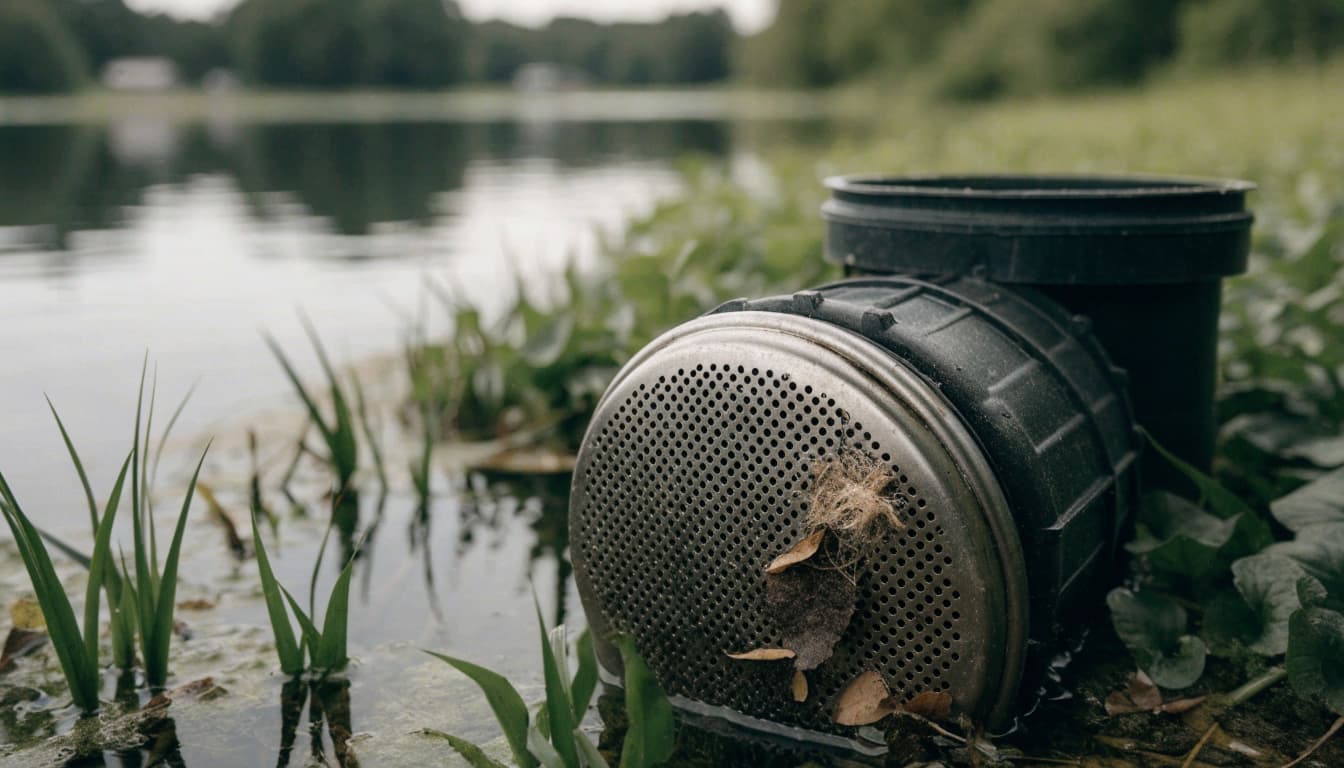
From shore, look for floating vegetation, leaves, or other debris around the fountain. A restricted intake or nozzle can reduce flow or produce an uneven spray, although those symptoms don't prove a blockage.
Compare the lake level with its usual level. Also note whether the float has shifted, the fountain tilts, or the spray changed before shutdown. Photograph what you can see without approaching underwater equipment.
Don't retrieve the unit by its power cable or enter the water to inspect it. Retrieval, cleaning, and repositioning require safe shutdown and suitable access. Trademark Water Systems' lake water fountain repair guide describes common symptoms that can help you explain the problem.
Consider Florida weather and lighting conditions
After heavy rain or tropical weather, report flooding near the controller, accumulated debris, and any visible movement of the fountain or mooring lines. Storm history is useful, but it doesn't establish the cause.
Lighting also has model-specific water requirements. Kasco's WaterGlow LEDC11 manual calls for approximately halfway submersion; its LEDS19 manual calls for submersion to the housing mark. Insufficient submersion can cause overheating or damage.
Don't reposition lights yourself to meet those requirements. Instead, report unusually exposed fixtures. For ongoing care, the Florida lake fountain maintenance checklist covers weather, buildup, and inspection concerns before they become larger problems.
Reset Only When the Exact Manual Allows It
A reset may clear a recorded fault, but it doesn't repair the condition that caused it. First, preserve the display and review the manual's instructions.
Only attempt a user-level reset when the manufacturer permits it, the control is safely accessible, and there are no signs of damage or moisture. Don't bypass a GFCI, defeat an interlock, or change protective settings to keep the fountain running.
A ground-fault circuit interrupter (GFCI) responds to current leaking outside its intended path. Repeated trips can indicate a shock hazard. Kasco's troubleshooting guide treats an immediate trip after reset as a fault condition and directs users toward equipment disconnection, removal, and manufacturer or distributor assistance when trips recur. Leave that work to qualified personnel.
Likewise, Kasco's C-25 procedure separates fountain and lighting loads during testing. It's a model-specific process, not a general instruction to unplug unfamiliar equipment.
Stop after a recurring trip. Repeatedly cycling the breaker or reset button adds risk without identifying the fault.
Know When to Call and What to Report
Call a qualified service technician when the fault returns, the pump stops repeatedly, or visible damage prevents safe checks. Grinding sounds, unusual vibration, persistent low flow, and suspected water intrusion also warrant professional attention.
Even without a displayed code, a stalled or poorly performing fountain may need inspection. For a community property, tell the manager or HOA contact so someone can control access and coordinate service.
Prepare a concise service report:
- Provide the controller manufacturer, model, and photographs of the code or indicator.
- Describe when the problem started, recent storms or outages, and the fountain's last normal operation.
- Explain which functions still work, what you've observed, and any permitted reset you attempted.
Don't erase the history of unsuccessful resets or recent maintenance. Both can help narrow the investigation.
Trademark Water Systems provides lake water fountain installation and service in the Naples area. Its team can assess the fountain and controls without requiring property owners to perform electrical diagnostics.
For shared lakes, also identify who can authorize repairs and provide safe access to the equipment.
Frequently Asked Questions
Does a controller error mean the pump needs replacing?
No. The warning may involve the electrical supply, protective device, controller, lighting circuit, or pump. The exact manual establishes the code meaning, while testing identifies the failed component. Replacing a pump without checking the cause can leave the original problem unresolved.
Can the fountain have a problem without displaying a code?
Yes. A timer setting, blocked intake, damaged cable, or other issue may stop operation or reduce performance without producing a readable warning. Record the symptoms anyway. A blank display is also worth reporting, especially after an outage or storm.
How often should a fountain GFCI be tested?
Follow the instructions for the installed equipment. Kasco's J-Series manual calls for GFCI testing at installation and monthly. It also requires a qualified electrician to install the control panel. Ask your service provider to explain the approved testing procedure for your setup and document it in the property's maintenance plan.
Make the Service Call Safer and More Useful
The most useful response to a fountain warning is accurate information collected safely . Match the controller to its manual, preserve the display, and limit your checks to accessible controls and visible conditions.
If trips recur or electrical damage appears, stop troubleshooting. A qualified technician can investigate without putting residents or equipment at unnecessary risk.
To arrange help, contact Trademark Water Systems at (239) 455-9496. Your photos, model information, and symptom history can give the service team a clearer starting point.
Latest posts
Read Our Blog
Tips, guides, industry best practices, and news.


Contact us
Get in touch
Our friendly team is ready to chat.